

Odoo ERP Introduction
1. What is Odoo ERP?
Odoo ERP is an all-in-one software system that helps businesses manage their daily operations in one place. It includes tools for sales, inventory, accounting, human resources, purchasing, CRM, manufacturing, and more. Instead of using different software for each department, Odoo allows everything to be connected and organized in a single platform. This makes work faster, reduces mistakes, and helps teams work smoothly together. In simple words, Odoo ERP is a complete solution that supports a business from start to finish.
2. Key features of Odoo ERP:
1. Sales Module – Create quotations, sales orders, invoices, and track customers.
2. Inventory Module – Manage stock, warehouses, deliveries, and product tracking.
3. Accounting Module– Handle payments, bills, taxes, reports, and bank transactions.
4.CRM (Customer Relationship Management) Module – Manage leads, follow-ups, and customer communication.
5.HR & Payroll Module– Manage employees, attendance, leaves, and salary.
6.Purchase Module – Create purchase orders and track suppliers and materials.
7.Manufacturing Module– Plan production, manage work orders, and track raw materials.
8.Project Module– Manage tasks, timelines, and team work.
9.Website & E-commerce Module – Build websites and online stores easily.
10.Reporting & Dashboard Module– Real-time reports and insights for better decisions.
11.Mobile Access Module– Use Odoo from anywhere using mobile or web.
12.Customizable & Modular – Add or remove features based on business needs.
In short: Odoo ERP provides all tools needed to manage a business in one connected platform.
3. Why Use Odoo ERP?
Odoo ERP is used because it helps businesses work faster, smarter, and more organized. It combines many tools in one system, so companies don’t need multiple separate software. This saves time, reduces mistakes, and improves teamwork.
Main reasons to use Odoo ERP:
1.All-in-one solution – Everything like sales, inventory, accounts, HR, and CRM is in one place.
2. Easy to use – Simple interface and easy for anyone to learn.
3. Cost-effective – Cheaper than many other ERP systems.
4. Customizable – Can be changed and designed based on business needs.
5. Scalable – Works for small, medium, and large companies.
6. Automation – Reduces manual work and increases speed.
7. Real-time information – Live reports and dashboards for better decisions.
8. Cloud & Mobile access – Can be used from anywhere, anytime.
9. Open-source – Flexible for developers to modify and add features.
10.Large app ecosystem – Thousands of modules available.
Why do companies use Odoo?
11. To manage all business functions in one platform
12. To reduce manual work and errors
13. To improve efficiency and productivity
14. To track real-time data and reports
15. To improve coordination across departments
In short:
Use Odoo ERP to manage the whole business smoothly in one system and improve efficiency and growth.
4. Who Uses Odoo ERP
Odoo is used by small, medium, and large businesses, including manufacturers, retailers, service companies, schools, hospitals, logistics firms, etc.
5. Odoo ERP Interface Overview
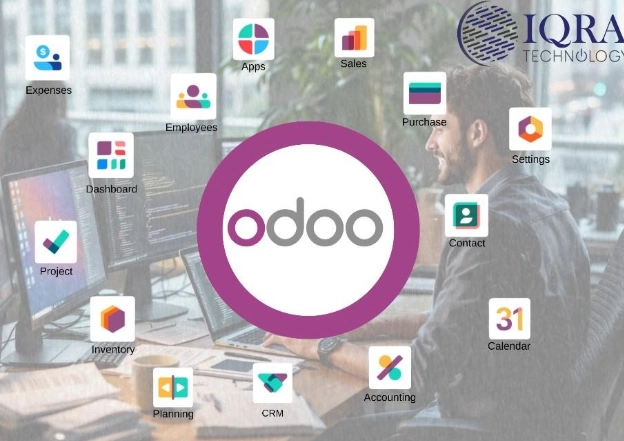
Once you log into Odoo, you will see a dashboard with different application modules shown as colorful icons on the home screen. Each module represents a business function.
Main Modules you will see on the dashboard:
- Sales: Manage quotations, orders, and invoices.
- CRM: Track leads, opportunities, and customer interactions.
- Inventory: Manage stock, warehouses, and deliveries.
- Accounting: Handle bills, payments, bank reconciliation, and reports.
- Purchase: Create purchase orders and manage vendors.
- HR / Employees: Track employees, attendance, and payroll.
- Manufacturing: Manage production orders and material requirements.
- Projects: Manage tasks, deadlines, and project planning.
- Website & eCommerce: Build and manage websites and online stores.
- Reports / Dashboards: View real-time business performance metrics.
Settings
- Use Settings to customize:
- Company information
- Users and access permissions
- Currencies, taxes, and localization preferences
- Email and system configurations
Add or remove modules
How the Interface Looks
- App-style dashboard full of modules like smartphone apps
- Click any module to open detailed pages in list, form, or Kanban view
- Search, filter, and grouping options for quick data access
- Drag-and-drop features in CRM and Projects
- Real-time dashboards with charts and graphs
- Works on laptop, tablet, and mobile
6. Odoo Modules (Main Apps)
Module |
Purpose |
Sales
Manage quotations & sales orders |
CRM
Track leads, opportunities, customers |
Inventory
Manage stock, warehouses, products |
Purchasing
RFQs, Vendor bills, purchase orders |
Accounting
Financial management, invoice, reports |
HR / Employees
Employee info, attendance, leaves |
Manufacturing (MRP)
Production, Work orders |
Project
Tasks, planning, teamwork |
Website / eCommerce
Online store & website builder |
Point of Sale (POS)
Retail shop billing systems |
Helpdesk
Customer support tickets |
Marketing
Email campaigns, automation |
